
Sarident · 3D odontogram
The tooth, as a precision object.
Thirty-two permanent teeth, each with its number and its five surfaces. Scroll slowly: at the end, the odontogram is in your hands.
02 FDI notation
Thirty-two numbers.
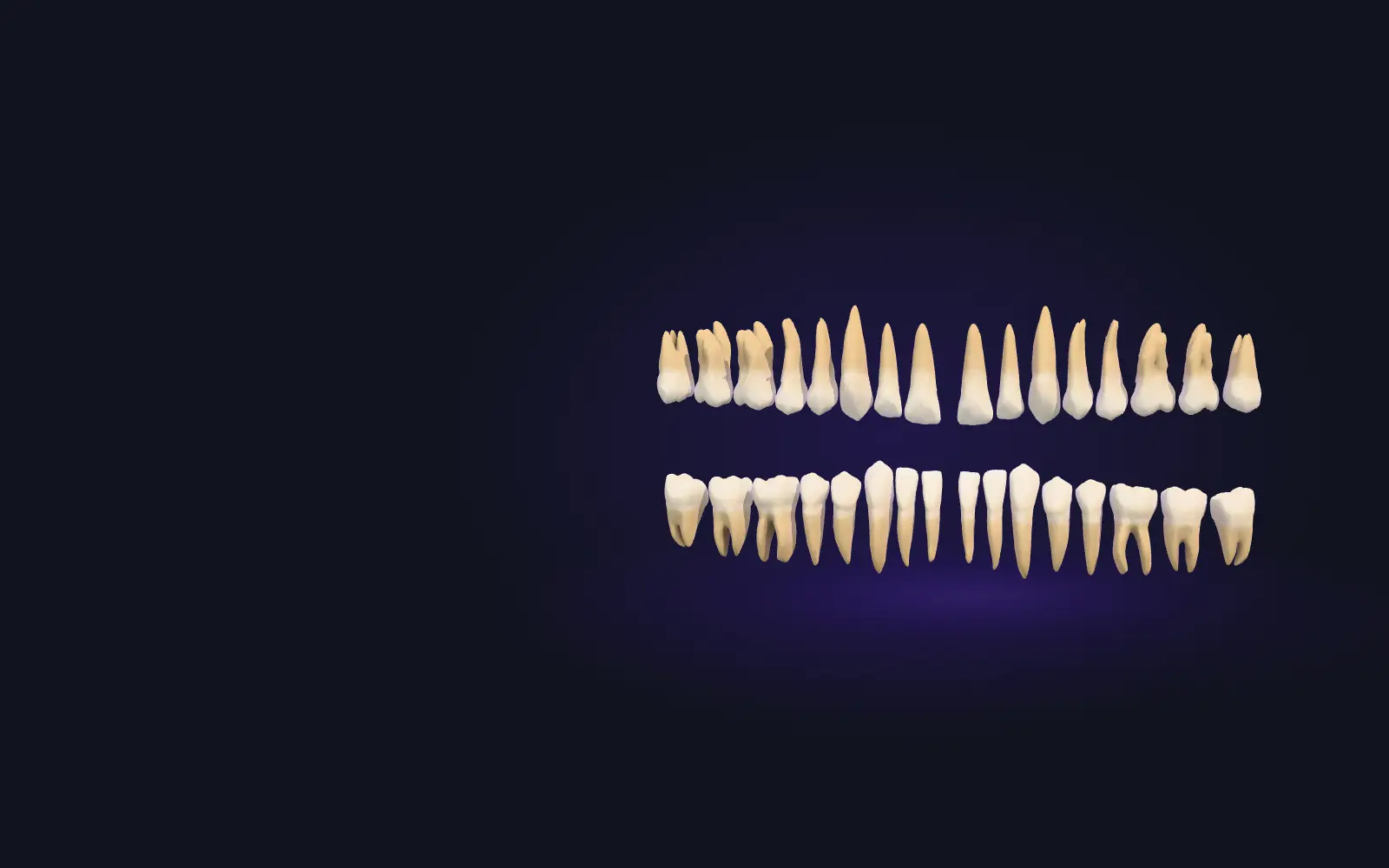
This is how the arch is drawn in the dental chart: unrolled into two rows (here, split into two halves: the patient’s right on top, their left below). Each tooth carries two digits: the first is the quadrant, 1 to 4, clockwise as you face the patient, starting at their upper right; the second is the position from the midline, 1 to 8. This is the FDI two-digit notation (ISO 3950), the one Sarident uses.
03 The tooth
Tooth 36, to scale.
Lower left first molar: quadrant 3, position 6. The dimension, – mm from mesial to distal, is the mean reference measurement from Wheeler’s tables: the model is scaled to it; it is not a measurement of a patient.
04 Inside
Enamel, dentine and pulp.
A section of tooth 36 from mesial to distal. It is a diagram: the 3D model is only the surface of the tooth, so the layers are drawn inside its outline with typical thicknesses (up to about 2.5 mm of enamel on the cusps, less in the fossa), not measured on this tooth.
05 Five surfaces
Every finding, on its surface.
Occlusal, mesial, distal, buccal and lingual. Sarident records each finding on its surface and, in 3D, paints the whole surface in the finding’s colour, the same as in its 2D odontogram. Here, so that it reads as a lesion, the caries in 3D is brown with a light halo, following the fossa and the grooves; the red of the caries stays in the legend and in the tooth panel.
06 Material
What gets replaced changes material.
A ceramic crown is seated on tooth 46. In place of 45, a titanium implant goes in, topped with its crown. In Sarident, the crown, the implant and the missing tooth change the tooth’s material; caries and restorations are painted on their surface.
07 The case
The whole mouth, at a glance.
Both arches open, seen from occlusal: 6 findings on 5 teeth. It is a demo case: made up, not from any patient.
- 36 occlusal caries · mesial restoration
- 46 crown
- 45 implant
- 12 missing
- 21 palatal restoration
Free exploration
Now the odontogram is yours.
Rotate the arch, open it with the hinge, tap a tooth to see its panel and mark findings with the palette. Nothing is saved, and nothing leaves your browser.

The 2D odontogram in this section works the same way: choose a tooth and mark its surfaces.
Drag to rotate · Ctrl + wheel to zoomOne finger rotates · two zoom · tap a toothArrow keys to rotate, + and − to zoom
36
Lower left first molar
Quadrant 3 · position 6
Recorded findings
6 findings on 5 teeth
Odontogram
Facing the patient, as in the dental chart: their right is on your left, the upper arch on top. Each tooth shows its five surfaces.One quadrant per row: 1 and 2 (top), 4 and 3 (bottom), each read from left to right as in the dental chart. Each tooth shows its five surfaces. With focus on a tooth, the arrow keys move to its neighbour on screen.
This is a piece of Sarident.
Sarident is the dental clinical record we are building at SARIBOT: the 2D and 3D odontogram, with periodontal chart and before/after comparison, alongside scheduling, imaging and billing. It is in development.
3D tooth models: all 32 teeth come from models by University of Dundee, School of Dentistry, GIDPTD and Daniel Rodrigo / DH-Ilustration, licensed under CC BY 4.0. The upper lateral incisors (12 and 22) are our own derivation of the central incisor “Incisivo (11)” by Daniel Rodrigo / DH-Ilustration: crown brought to Wheeler’s averages for the lateral incisor (9.0 mm high, 6.5 mesiodistal and 6.0 labiolingual) and distoincisal angle rounded. They are an approximation based on the central incisor, not scanned lateral incisors. Several teeth are copies of their counterpart on the other side, mirrored where needed (for example, 36 comes from 46 and 21 from 11), and the upper first molars (16 and 26), whose model came sectioned, are represented by the upper second molar (27). SARIBOT normalised, scaled to Wheeler’s averages, simplified and arranged all the teeth into an arch: these are modifications of the originals. The gum is the one Sarident generates from the necks and roots of the model (scalloped margin and papillae included); it can be hidden in the viewer to see the roots.
The case is made up. The implant screw is an illustration for this page. Built with three.js (MIT licence), with no cookies or analytics.